
Run the whole service with a clearer view.
Counter billing, kitchen tickets, QR table orders and owner reports, connected. Core billing keeps going when the Wi-Fi drops. Flat monthly price, no commission on orders.
No card needed. We help you set up. See a live demo restaurant · WhatsApp +91 93528 43188
Everything from the counter to the kitchen to the owner’s phone
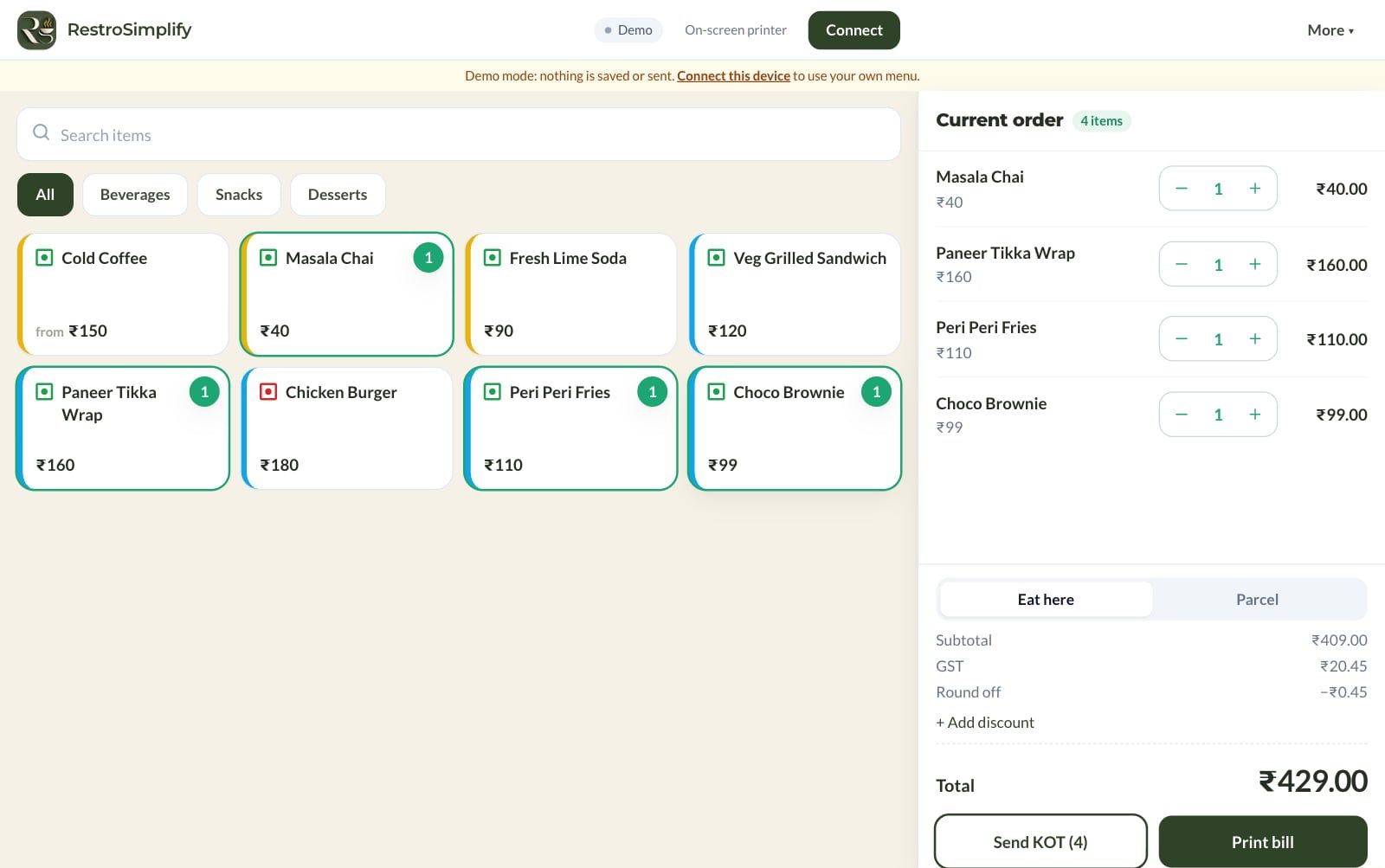
Bill a table in seconds
Tap dishes, send the KOT, print the bill. Sizes, add-ons, notes and discounts are all a tap away.
- Table view: see which tables are free, eating or waiting for the bill
- Split payments across cash, UPI and card
- A UPI QR with the amount filled in, paid straight to your account
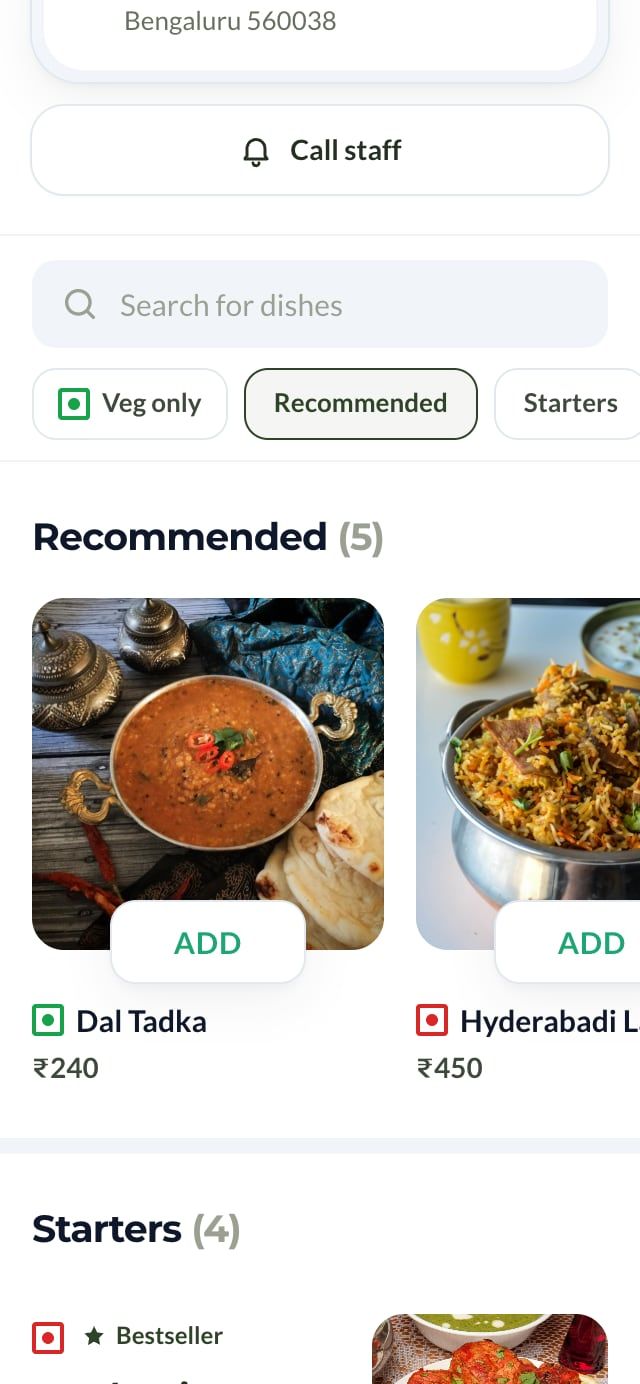
Guests order from the table
Every table gets a QR code. Guests browse your menu with photos, in English or Hindi, and order from their phone.
- Name and phone with every order, so you build a customer list
- “Call staff” and “Ask for the bill” buttons on the same page
- Approve a new guest’s first order before the kitchen starts
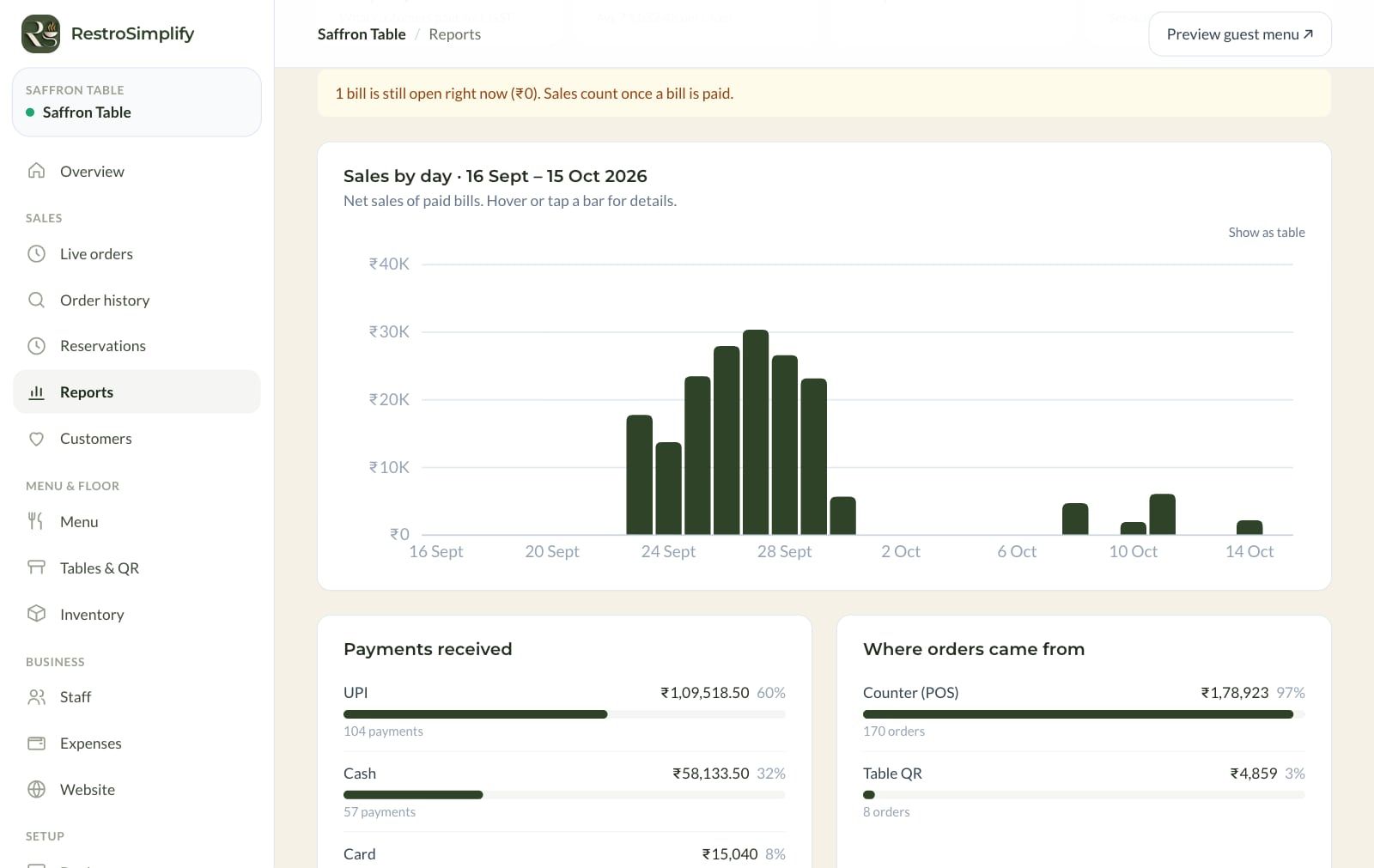
Know your numbers every day
Your dashboard shows sales, best sellers and payments for every outlet, from anywhere.
- Sales by day and by hour, GST collected, discounts given
- Day-end closing with cash counted against cash expected
- Download any report as CSV for your accountant (opens in Excel)
Built for a busy Indian restaurant
Keeps billing offline
Internet down in the middle of lunch? Keep taking orders, sending KOTs and printing bills. They save on the device and sync when the connection is back. Manager approvals need internet.
Prints KOTs and bills
USB and Bluetooth receipt printers from Chrome, and network printers through a small helper on the counter PC. 58 mm and 80 mm paper.
Kitchen screen
A tablet in the kitchen shows every KOT. Cooks tap Start, Ready and Served, and the waiter sees “food ready” on their screen.
Staff PINs and roles
Owner, manager, cashier, waiter and kitchen roles. Discounts and removing a dish already sent to the kitchen need a manager’s PIN.
Stock and profit
Recipes, purchases and expenses. Stock goes down as you sell, and a profit-and-loss view shows what the month really made.
Your data stays yours
Your customers belong to your restaurant only. No other business can see them, and we never sell or share them.
Up and running the same day
Create your account
Sign up with Google or email. Add your menu by hand or import it from Excel, then your tables and staff.
We switch you on
We call you, help with anything that’s left, and start your 14-day free trial.
Start billing
Connect your tablet with a short code, print the table QR codes, and take your first order.
Simple monthly price per outlet
Every plan starts with a 14-day free trial. No setup fee, no commission, cancel any time.
Founding
For our first 10 restaurants. Price locked for 12 months.
- Everything in Growth
- We help you set up the menu and printer
- Direct line to the people building it
- In return: your feedback and an honest review
Standard
A café or restaurant with 1 to 5 outlets.
or ₹5,999 a year, about 2 months free
- POS billing that works offline
- KOT, kitchen screen, split payments, UPI
- QR menu and table ordering
- Customer list, reports and day-end closing
- As many staff and devices as you need
Growth
Restaurants that want to run tighter numbers.
or ₹9,999 a year, about 2 months free
- Everything in Standard
- Inventory, recipes and purchases
- Expenses and profit & loss
- Loyalty points, rewards and referrals
- Combined reports for all outlets
Questions about pricing? Ask us on WhatsApp
Pay monthly or yearly by UPI or bank transfer. Prices are per outlet. WhatsApp offers you send to guests are charged at Meta’s rate.
Frequently asked
Does it work without internet?
Core billing does. Orders, KOTs, bills and payments save on the device and print locally, then sync to your dashboard when the internet is back. Manager approvals, signing in, order history and closing the day need internet, and guest QR ordering needs the guest’s phone to be online.
Do I need to buy new hardware?
Usually not. It runs in Chrome on compatible Android tablets, phones and Windows or Mac computers you already have. Common thermal receipt printers work; we test your printer with you before you go live. Network printers need a small helper on the counter PC.
Do you take a commission on orders?
Never. You pay a flat monthly fee per outlet. UPI payments go straight to your own UPI ID; we never touch your money.
How does ordering from the table work?
Each table gets a QR code. Guests scan it, see your menu with photos in English or Hindi, and place the order. Your staff confirm it on the POS or dashboard and it goes to the kitchen. Guests can also call a waiter or ask for the bill from the same page.
How does the free trial work?
Create your account and set up your menu, tables and staff. We call you to switch your account on, then you have 14 days with every feature. No card needed.
Are the bills GST-ready?
Yes. CGST and SGST are worked out on every bill, with your GSTIN, invoice series and optional service charge. Menu prices can include GST or have it added.
Can I use it for more than one outlet?
Yes. Each outlet has its own tables, staff, devices and invoice series, and you see them together or one by one in reports.
Is there a yearly plan?
Yes. Pay for a year and get about 2 months free: Standard is ₹5,999 a year and Growth ₹9,999 a year, per outlet. Founding stays monthly, with its price locked for 12 months.
Do WhatsApp messages cost extra?
The plan includes WhatsApp. Meta charges its own small fee for some messages: about 86 paise for each offer you send to your customer list, and about 12 paise for optional extras like an e-bill sent after the chat has closed. We pass these on at Meta’s rate, and the dashboard shows the cost before you send.
Can I cancel?
Any time. On the monthly plan you pay month by month, and you can ask for an export of your data before you leave.
Free tools for restaurants
Work out GST, make a bill, check what Swiggy and Zomato really leave you, and price your menu. They run in your browser and nothing is stored.
GST bill calculator for restaurants
Add GST to a price or take it out of one, with CGST/SGST split and service charge. Works to the paisa, like a real bill.
Restaurant bill format generator
Make a clean printable restaurant bill with GST, service charge and your GSTIN. Print it or save it as a PDF.
Swiggy and Zomato commission calculator
See what you really keep from a delivery order after commission, fees, GST on fees and TDS, and the app price that keeps your margin.
Food cost and menu price calculator
Add up what a dish costs you and find the price that gives the margin you want.
Guides for restaurant owners
- GST on restaurant bills: a plain guide
- QR code ordering for restaurants: how it works and how to start
- Choosing a restaurant POS in India: what to compare
- Licences you need to open a restaurant in India
- FSSAI registration and licence for restaurants (2026 limits)
- Swiggy and Zomato commission: what you really pay per order
- Food cost percentage: how to work it out and what is normal
Try RestroSimplify free for 14 days
Set up your menu today. We’ll call you to switch it on.